
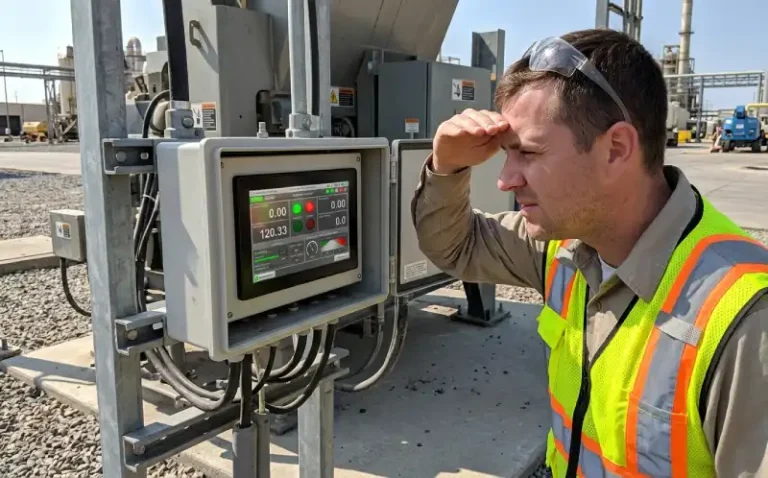
How Many Nits Do You Need for an Outdoor Display?
If the display you ordered claims 1000 nits, but the screen still becomes hard to read after you mount it on outdoor equipment, the problem may not be the brightness specification. The viewing angle, installation direction, cover glass treatment, and direct sunlight angle can all change what the operator actually sees. A brightness figure that looks acceptable in the datasheet may not perform the same way once the Industrial tft lcd display is installed in a real cabinet under sunlight.
This happens more often than expected. A display works clearly on the bench during testing, but once it is mounted outdoors and the sun hits the screen at midday, readability drops. The specification has not changed, but the real-world result has.
Understanding outdoor display brightness requires looking beyond the brightness number. Several physical and optical factors work together to determine whether an operator can read the screen under actual outdoor conditions.
How Many Nits Does an Outdoor Display Need?
Indoor vs Outdoor Brightness
Indoor environments typically have ambient light between 300 and 500 lux. A display with 300 to 500 nits usually provides clear visibility under these conditions. Outdoor environments expose the display to much stronger light. Direct sunlight can reach 100,000 lux or more. The display must emit enough light to remain readable against this bright background, or the screen content becomes washed out.
The brightness requirement depends on whether the equipment operates in partial shade, open sunlight, or at an installation angle that reflects the sun directly into the operator’s viewing position. A parking meter under a tree requires less brightness than an EV charger mounted on a pole in an open parking lot. The application determines the starting point for brightness selection.
Typical Brightness Ranges
Most indoor displays range from 250 to 500 nits. Semi-outdoor applications—such as equipment under a canopy or near a building entrance—typically require 700 to 1000 nits. Full outdoor displays exposed to direct sunlight often need 1000 nits or higher, with some applications using 1500 to 2000 nits.
Outdoor display brightness depends on the installation environment, viewing distance, and whether the screen will be exposed to direct sunlight. Full outdoor applications in direct sunlight typically require at least 1000 nits, though cover glass reflections, viewing angle, and installation direction also affect readability. Semi-outdoor or shaded locations may remain readable at 700 to 1000 nits.
These numbers provide a starting reference, but they do not guarantee readability. A 1200-nit display may still perform poorly if the cover glass creates strong reflections or if the installation angle directs sunlight directly at the screen surface.
Why Nits Alone Do Not Determine Readability
Brightness measures how much light the display emits, but readability depends on the contrast between the screen content and the surrounding light. If ambient light reflects off the screen surface, that reflection reduces the apparent contrast. The display may emit 1000 nits, but if the reflection adds another 500 nits of glare, the operator sees reduced contrast instead of a clear image.
Viewing angle also changes brightness perception. A display rated at 1000 nits may only deliver 600 nits when viewed from 30 degrees off-axis. If the operator stands to one side or views the screen from below, the effective brightness drops. The specification assumes a direct viewing angle, but real installations do not always allow that.
Installation direction matters as well. A display mounted vertically and facing south may receive direct sunlight for several hours each day. That same display mounted at an angle or facing north may never experience the same lighting conditions. The brightness requirement changes depending on how the equipment will be positioned.
What Affects Outdoor Display Readability?
Direct Sunlight
Direct sunlight does more than increase ambient light. It creates a strong light source that can reflect off the screen surface or shine directly into the operator’s eyes. When the sun is low in the sky—early morning or late afternoon—it often strikes the screen at a shallow angle, creating strong reflections even if the display brightness is high.
At midday, the sun is higher, and the angle may reduce direct reflections, but the overall ambient light intensity increases. A display that looks readable at 8:00 AM may become difficult to see at noon, not because the display has changed, but because the lighting conditions have.
Testing a display indoors or on a cloudy day does not expose these conditions. The first time the equipment operates under full sun may be the first time the problem becomes visible.
Reflections and Cover Glass
Cover glass protects the display and provides a touch surface, but it also reflects light. Standard glass reflects approximately 4% of incident light per surface. If the cover glass has two surfaces—front and back—each surface contributes reflection. A display emitting 1000 nits may appear significantly dimmer if the cover glass reflects several hundred nits of ambient light back toward the viewer.
Anti-reflective coatings reduce this effect. A good AR coating can reduce reflection to less than 1% per surface. The improvement is noticeable, especially under direct sunlight. Some outdoor applications also use optical bonding, which eliminates the air gap between the cover glass and the display. This reduces internal reflections and can improve contrast.
Not all cover glass treatments perform the same way. Two displays with identical brightness specifications may deliver different readability if one uses AR-coated glass and the other does not. This difference does not appear in the brightness datasheet.
Viewing Angle
LCD viewing angle specifications typically describe the angle at which contrast or brightness drops below a defined threshold. A display with an 85-degree viewing angle may still be readable at that angle indoors, but under strong outdoor light, the reduced brightness at off-axis viewing makes the screen much harder to read.
If the equipment requires the operator to view the screen from the side—such as a control panel mounted on the side of a machine—the effective brightness drops. A 1000-nit display viewed from 40 degrees may only deliver 700 or 800 nits. Under strong sunlight, that reduction can make the difference between readable and unreadable.
Some applications allow adjustment of the installation angle to align the screen with the operator’s typical viewing position. Others do not. Checking the viewing angle requirement early helps avoid a situation where the display works well from the front but becomes difficult to read from the positions where operators will actually stand.
Installation Angle
A display mounted flat against a vertical wall receives different lighting than one tilted at 15 degrees. The tilt angle changes how much direct sunlight hits the screen and how much reflects toward the operator. A small tilt can sometimes reduce reflections significantly, but it may also change the operator’s viewing angle and reduce perceived brightness.
In one outdoor EV charger installation, the display was initially mounted vertically. Operators reported glare problems during late afternoon when the sun was low. Tilting the display downward by 10 degrees reduced the reflection, but it also changed the viewing angle for shorter operators. The final solution required balancing the reflection reduction against the viewing angle change, and the result was a compromise rather than a perfect solution.
Installation angle is not always adjustable. Some enclosures do not allow tilting, and the display must work in the position the mechanical design requires. In those cases, the brightness and cover glass treatment must compensate.
Anti-Glare and Anti-Reflective Treatment
Anti-glare treatments scatter reflected light, reducing the intensity of reflections but sometimes creating a hazy appearance. Anti-reflective coatings reduce the total amount of reflected light without scattering. Each approach has trade-offs.
Anti-glare surfaces can improve readability in bright environments, but they may reduce clarity or sharpness, especially for detailed graphics. AR coatings maintain clarity but cost more and require careful handling during assembly. Some outdoor displays use a combination: AR coating on the outer surface and controlled bonding to reduce internal reflections.
The treatment choice depends on whether the application prioritizes maximum brightness and clarity or whether reducing glare is more important. For an outdoor vending machine, slight haze may be acceptable if it eliminates severe glare. For a precision instrument display, clarity may take priority, and the design must control glare through installation angle or brightness instead.
How Should You Test an Outdoor Display?
Test Under Actual Lighting Conditions
Indoor testing under office lighting does not replicate outdoor conditions. If the equipment will operate outdoors, test the display outside. Set up the display in the same orientation it will have in the final installation and observe it at different times of day. Early morning, midday, and late afternoon each create different lighting angles.
If outdoor testing is not possible during the prototype phase, simulate strong light using a high-intensity lamp positioned at different angles. This does not perfectly replicate sunlight, but it exposes reflection and glare problems that will not appear under standard indoor lighting.
One industrial control system used a display rated at 1200 nits. The prototype worked well indoors, and the specification looked sufficient for outdoor use. After the first units were installed, operators reported readability problems during afternoon hours. The team returned to the installation site with a light meter and confirmed that the problem was not brightness but reflection from the cover glass. The display was emitting enough light, but the reflection was adding glare that reduced contrast. The solution required changing the cover glass to an AR-coated version, which had not been part of the original design.
Test From the Real Viewing Position
Testing from directly in front of the display may not match how operators will actually use the equipment. If the display is mounted on a tall cabinet, operators may view it from below. If it is mounted on a machine at waist height, operators may look down at it. Walk around the equipment and check readability from the positions where operators will stand.
Viewing angle affects brightness, and brightness affects readability under strong ambient light. A display that looks fine from the front may become difficult to read from 30 degrees off-axis. If the application requires wide viewing angles, confirm that the display maintains sufficient brightness across the required range.
Test With the Final Cover Glass
Testing the bare display without cover glass does not show how reflections will affect readability. If the final product will use cover glass, test with the actual glass in place. If the design includes optical bonding or AR coating, test with those treatments applied.
Some projects test the display first and add the cover glass later during production. If the cover glass creates unexpected reflections, the problem is discovered late, and solutions become more expensive. Testing with the complete optical stack earlier reduces that risk.
Check Brightness and Thermal Effects
Higher brightness increases power consumption, which increases heat. If the display is mounted inside an enclosure, check the internal temperature after the equipment has been running for several hours. A display that works well during a short test may become unstable or reduce brightness after extended operation if the enclosure does not dissipate heat effectively.
Some displays include automatic brightness reduction to protect the backlight when internal temperature rises. This feature prevents damage, but it also means the display may not maintain full brightness under all operating conditions. Check the temperature specification and confirm that the enclosure design allows sufficient cooling.
In one case, an outdoor kiosk display was specified at 1500 nits. During bench testing, the display performed well. After installation, operators reported that the screen brightness dropped during the afternoon. Investigation showed that the enclosure temperature was exceeding the display’s rated operating range, triggering automatic brightness reduction. The display was functioning correctly, but the enclosure design had not accounted for the heat generated by the high-brightness backlight. The solution required adding ventilation, which delayed the production schedule.
How to Balance Brightness, Power, and Heat

Higher Brightness and Power Consumption
Increasing brightness increases backlight power. A 500-nit display may consume 5 to 8 watts for the backlight, while a 1500-nit display may require 15 to 25 watts or more, depending on size and backlight efficiency. This affects the power supply design, battery life for portable equipment, and thermal management.
Higher outdoor display brightness increases backlight power consumption and heat generation. A 1500-nit display may consume two to three times the power of a 500-nit display. This affects power supply design, enclosure cooling, and operating temperature. Balancing brightness with thermal and power constraints requires checking the complete system, not just the display specification.
If the equipment operates on battery power, higher brightness reduces runtime. If it operates on mains power, the power supply must provide enough capacity for the display and other components. Checking total system power early helps avoid discovering late that the power budget does not support the desired brightness.
Brightness and Enclosure Temperature
Higher brightness increases heat inside the enclosure. If the enclosure is sealed for weather protection, heat dissipation becomes more difficult. The display may reach its maximum operating temperature faster, and other components inside the enclosure may also be affected.
Some designs use passive cooling with heat sinks or thermal conduction paths. Others use active cooling with fans. Passive cooling is simpler and more reliable, but it may not provide enough heat removal for very high brightness displays in hot climates. Active cooling works better but adds complexity, cost, and potential maintenance.
Check the display’s operating temperature range and measure the enclosure temperature under worst-case conditions: high ambient temperature, full sunlight, and maximum brightness. If the temperature exceeds the display’s specification, reduce brightness, improve cooling, or both.
When Mechanical Changes Can Help
Not every readability problem requires a brighter display. Sometimes adjusting the installation angle, changing the cover glass, or adding a sunshade improves readability without increasing brightness. These changes may be easier and less expensive than redesigning the display or power system.
A sunshade or hood can block direct sunlight from hitting the screen, reducing reflections and glare. This works well when the viewing position is predictable and the hood does not interfere with access. Some outdoor equipment uses a recessed display mounting, which creates a natural shadow over the screen.
Changing the cover glass to an AR-coated version can reduce reflections by 50% or more. This improves contrast without increasing brightness or power consumption. The cost of AR coating is usually lower than the cost of moving to a much higher brightness display and redesigning the power and cooling systems.
If the installation allows it, tilting the display slightly can reduce reflections during the times of day when the sun creates the most glare. This is not always possible, but when it is, it can be one of the simplest and most effective solutions.
If you are selecting a display for outdoor equipment, start by checking the actual lighting conditions at the installation site rather than relying only on the brightness specification. Test the display outdoors, from the real viewing positions, and with the final cover glass in place. If readability problems appear late in the project and are causing repeated redesigns or delivery delays, external engineering support can help identify whether the issue is brightness, reflection, viewing angle, or installation geometry, and reduce further iteration.
For system integrators working on industrial HMI applications where reducing display-related firmware development is a priority, intelligent TFT LCD display modules such as those developed by STONE Technologies integrate the LCD display Manufacturers, controller, and communication interface into one module. These modules communicate with the host MCU—such as STM32 or Arduino—via a UART serial interface using a command set, which can reduce the amount of display initialization and control code required on the MCU side. STONE provides GUI design software for configuring the screen layout without writing low-level graphics code, which may help shorten the development cycle in applications where firmware resources are limited.