
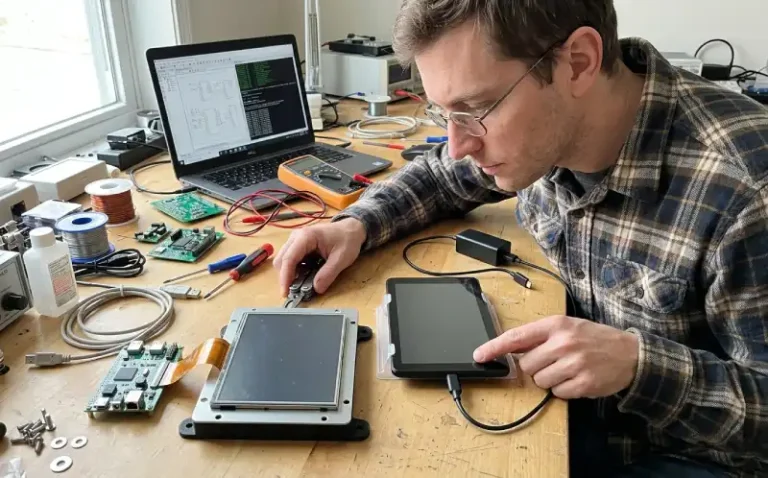
Industrial TFT LCD vs Consumer LCD
A consumer-grade display works fine during prototyping. The image looks good on the bench, touch responds correctly, and the firmware integrates without trouble. Then the machine ships to a factory floor or gets installed outdoors, and within weeks the screen becomes hard to read, touch calibration drifts, or the display stops working entirely after the equipment runs continuously for several days.
The difference between industrial TFT LCD vs consumer LCD is not just about price. A consumer display is designed for short daily usage in controlled indoor environments. An Industrial TFT LCD Display is designed for continuous operation, wide temperature ranges, mechanical vibration, and environments where replacement is expensive or disruptive. When those design differences are ignored during product selection, the result is often field failures that were not visible during development.
What Is the Difference Between Industrial and Consumer LCDs?
An industrial TFT LCD is built for environments and operating conditions that a consumer display was never designed to handle. The component selection, backlight assembly, temperature rating, touch controller, and long-term supply commitment are different. A consumer display may use lower-cost components, narrower temperature ranges, and shorter production lifecycles. An industrial display prioritizes reliability, availability, and performance in harsh conditions over cost reduction.
Operating Environment
Consumer displays are designed for residential or office environments. Temperature typically stays between 15°C and 30°C, ambient light is moderate and controlled, and mechanical shock is minimal. The display might be used for a few hours per day, and the operating conditions rarely push the panel outside the comfort zone it was designed for.
Industrial environments are different. A cabinet-mounted display inside a production machine may experience temperatures above 50°C during operation. An outdoor kiosk or EV charger display must remain readable in direct sunlight, handle freezing startup conditions, and survive condensation and thermal cycling. A vending machine or elevator display must respond reliably to touch input even when subjected to vibration, impact, or repeated use by different operators.
The component grades inside an industrial display reflect these conditions. Industrial-grade driver ICs, backlight components, and adhesives are selected to maintain performance across a wider temperature range. Consumer displays may still function at higher temperatures, but brightness uniformity, color shift, response time, and long-term reliability often degrade faster than the datasheet suggests.
Operating Hours and Service Life
A consumer display might operate for two to four hours per day. An industrial display is often expected to run continuously, sometimes 24 hours per day, for years. This changes the failure modes.
Backlight degradation is one of the clearest differences. Consumer LCD backlights may be rated for 20,000 to 30,000 hours of operation, which is adequate for typical home or office use. Industrial backlights are often rated for 50,000 to 70,000 hours or more, and the rating is tested under conditions closer to actual industrial operating temperatures. A display that looks fine after 500 hours on the bench may show noticeable brightness loss or color shift after 10,000 hours of continuous operation in the field.
Touch controller wear is another factor. A consumer touchscreen might handle occasional input from a single user. An industrial touchscreen in a production environment or public-facing equipment may receive thousands of touches per day, often from operators wearing gloves or in environments with dust, moisture, or temperature extremes. The touch sensor construction, controller firmware, and cover glass must handle that workload without drift or failure.
Product Lifecycle and Availability
Consumer electronics move fast. A display model used in a smartphone or tablet might be in production for 18 months before the LCD display Manufacturers moves to a newer design. For a consumer product, that may not matter. For an industrial product with a five-year production run and ten-year service commitment, it creates a supply risk.
Industrial displays are typically designed with longer production lifecycles. A manufacturer may commit to producing the same display for five years or more, and component obsolescence is managed more carefully. When a component inside the display becomes unavailable, the manufacturer is more likely to source a compatible replacement and qualify it rather than simply discontinuing the display.
This also affects mechanical compatibility. An industrial display module is more likely to maintain the same mounting holes, connector location, and thickness across production runs. A consumer display may change mechanical details between production batches without warning, which can create integration problems during production ramp or when replacing a failed unit in the field.
Where Industrial Displays Need More Attention
Choosing an industrial display over a consumer display is not always necessary, but certain application conditions expose weaknesses in consumer-grade panels quickly.
Temperature
Temperature affects almost every LCD characteristic. Response time slows at low temperatures, and the liquid crystal may not switch correctly below the rated minimum. At high temperatures, brightness decreases, color shifts, and long-term degradation accelerates. A consumer display might be rated from 0°C to 50°C for operation. An industrial display might be rated from -20°C to 70°C or wider.
Check the temperature inside the enclosure, not the ambient room temperature. A sealed control cabinet with power supplies, motor drivers, and a display inside can easily reach 50°C to 60°C internally even when the room temperature is 25°C. If the display is mounted near a heat source or in direct sunlight, the panel surface temperature can climb even higher. A display that works fine in the lab may become sluggish, discolored, or unstable when installed in the actual system.
Startup behavior at low temperature is another issue. An outdoor kiosk or agricultural equipment display may need to start reliably at -10°C or lower. At those temperatures, a consumer display may fail to initialize, show severe ghosting, or take several minutes to become readable. Industrial displays designed for cold-start operation include heaters, modified liquid crystal formulations, or startup routines that manage backlight and drive voltage during warmup.
Brightness and Readability
A consumer display might provide 250 to 400 nits of brightness, which is adequate for indoor use. An industrial display used outdoors, in high-bay lighting, or near windows may require 800 to 1,500 nits or more to remain readable.
Brightness alone does not guarantee readability. An outdoor EV charger display might have 1,000 nits of brightness, but if the cover glass reflects sunlight directly into the operator’s eyes, the display is still hard to read. Anti-reflective coatings, optical bonding between the touch sensor and LCD, and installation angle all affect what the operator actually sees. A display that looks readable on a lab bench under overhead fluorescent lighting may become unreadable in direct sunlight or under bright factory lighting.
Brightness also degrades over time. A backlight rated for 50,000 hours might drop to 70% of its initial brightness by the end of its rated life. If the initial brightness was only 400 nits, a 30% loss brings it down to 280 nits, which may no longer be adequate. Specifying higher initial brightness provides margin for long-term degradation.
Touch and User Interaction
Touch technology matters in industrial applications. Resistive touchscreens work with gloves and styluses but may wear out faster under heavy use and typically do not support multi-touch. Capacitive touchscreens provide better optical clarity and multi-touch capability but may not work reliably with thick gloves, wet hands, or in environments with electrical noise.
A vending machine display might receive hundreds of touches per day, often from users who press harder than necessary. A resistive touchscreen may develop dead zones or drift after several months. An industrial capacitive touchscreen with a hardened cover glass and robust controller firmware may handle the same workload for years without noticeable degradation.
Surface treatment and sealing also matter. A display in a food processing or pharmaceutical environment must be easy to clean and resistant to repeated chemical exposure. A display in an outdoor kiosk must handle rain, dust, and condensation without touch failures or water ingress. Consumer displays rarely include the sealing, gaskets, or surface coatings needed for those conditions.
Mechanical and Environmental Conditions
Mounting, connector access, cable routing, and environmental sealing are not usually highlighted in display datasheets, but they affect production and field reliability.
A consumer display might have a fragile ribbon cable, an exposed connector, or mounting holes that do not align well with industrial enclosure standards. An industrial display is more likely to include a robust connector, a cable with strain relief, and mounting options compatible with DIN rails, VESA mounts, or panel cutouts.
Vibration and shock resistance are critical in mobile equipment, vehicles, and machinery. A display that works fine on a stationary bench may develop intermittent connection failures, backlight flicker, or touch calibration drift when subjected to vibration during operation. Industrial displays include mechanical reinforcement, adhesive bonding, and connector retention designed to handle those conditions.
Is an Industrial Display Always the Better Choice?
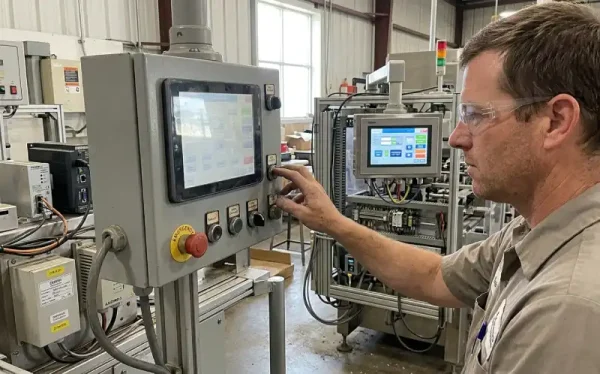
An industrial display provides better environmental performance, longer service life, and more predictable long-term availability. It is also more expensive. Choosing an industrial display when a consumer display would work increases the BOM cost without delivering measurable benefit. Choosing a consumer display when industrial specifications are needed creates field failures and replacement costs that exceed the initial savings.
When a Consumer Display May Be Enough
If the equipment operates indoors in a controlled environment, runs for limited hours per day, and is easy to access for service or replacement, a consumer display may be adequate. A desktop instrument used in a laboratory, a prototype for short-term evaluation, or a consumer product with a two-year expected life might not justify the cost of an industrial display.
Temperature is often the deciding factor. If the display will never experience temperatures below 0°C or above 40°C during operation, a consumer display will likely perform reliably. If the equipment is not exposed to sunlight, high ambient light, or harsh cleaning chemicals, and if touch input is light and infrequent, a consumer display can work.
Availability risk is another consideration. If the product has a short production run, or if the design can tolerate a display change during production without significant rework, the supply risk of a consumer display is manageable. If the product is built in small batches and each batch can use a different display model, mechanical and firmware compatibility are less critical.
When Industrial Specifications Matter
When the equipment operates outdoors, in uncontrolled environments, or continuously for years, an industrial display becomes necessary. An EV charger display that must start reliably at -20°C and remain readable in direct sunlight cannot use a consumer panel. A production machine display that runs 24/7 in a factory with dust, temperature swings, and vibration will fail quickly if a consumer display is installed.
Long production runs and field service requirements also favor industrial displays. If the same product will be manufactured for five years and must be serviceable for ten years, the display must remain available and mechanically compatible throughout that period. A consumer display that becomes unavailable after two years forces a redesign, retooling, and requalification, all of which add cost and schedule risk.
Touch-heavy applications benefit from industrial touchscreens. A public kiosk, elevator control panel, or vending machine interface that receives thousands of touches per day will experience accelerated wear on a consumer touchscreen. An industrial touchscreen with a hardened surface, robust controller, and better environmental sealing will last longer and require less frequent replacement.
Cost vs Long-Term Reliability
The cost difference between a consumer display and an industrial display might be 50% to 200% or more, depending on size, features, and specifications. That difference is easy to see during BOM cost reviews. The cost of field failures, service calls, replacement units, downtime, and customer dissatisfaction is harder to quantify during design but becomes visible quickly after deployment.
A vending machine manufacturer used consumer displays in early production units to reduce cost. After 18 months, 15% of the deployed units required display replacement due to touch failures, backlight degradation, or temperature-related problems. The cost of service calls, replacement parts, and lost revenue from machines that were temporarily offline exceeded the initial savings within two years. The manufacturer switched to industrial displays for later production and saw field failure rates drop to below 2% over the same period.
An industrial control system manufacturer initially selected an industrial display but later questioned whether the extra cost was justified. The equipment operated indoors, but the control cabinet was located in a high-bay area with significant temperature variation and exposure to dust. During qualification testing, a consumer display showed backlight uniformity problems after 2,000 hours of continuous operation at 50°C. The industrial display maintained performance after 10,000 hours under the same conditions. The project stayed with the industrial display, accepting the higher BOM cost to avoid field failures.
How to Decide Which One You Need
The decision between industrial TFT LCD vs consumer LCD depends on the operating environment, expected service life, field service cost, and production requirements. Start by defining the conditions the display will actually experience, not just the conditions the equipment is rated for.
Environment
Measure or estimate the temperature inside the enclosure during normal operation and after the equipment has been running for several hours. If the internal temperature can exceed 50°C, or if the equipment must start reliably below 0°C, an industrial display is necessary. If the display is exposed to direct sunlight, high ambient light, or outdoor conditions, check the brightness specification and optical construction, not just the LCD resolution or size.
Consider mechanical conditions. If the equipment will be subjected to vibration, impact, or movement during operation, verify that the display assembly, mounting, and connectors are designed to handle it. A consumer display might work in a stationary enclosure but fail quickly in mobile equipment.
Check the environmental exposure. If the display surface will be exposed to moisture, dust, cleaning chemicals, or frequent touch input from gloved hands, verify that the touch sensor and cover glass are compatible. A consumer touchscreen might work for light indoor use but fail in harsher conditions.
Operating Hours
Estimate the total operating hours over the expected product life. A display used two hours per day for five years accumulates about 3,600 hours. A display used 24 hours per day for five years accumulates over 43,000 hours. If the application approaches or exceeds the backlight life rating of a consumer display, an industrial display with a longer-rated backlight is worth the cost.
Continuous operation also affects thermal stress, component aging, and failure modes. A display that runs continuously at elevated temperature will degrade faster than one that cycles on and off daily. If the application requires continuous operation, prioritize displays with component grades and backlight ratings designed for that duty cycle.
Maintenance and Replacement
Consider the cost and difficulty of replacing the display in the field. If the equipment is installed in a remote location, mounted in a difficult-to-access enclosure, or requires significant downtime for service, field failures are expensive. In those cases, the higher cost of an industrial display is justified by the lower failure rate and longer service life.
If the equipment is easy to access and replacement is inexpensive, a consumer display might be acceptable even if occasional replacements are expected. A desktop instrument in a laboratory can be serviced quickly. A kiosk in a public location or a control panel in a sealed enclosure is much more expensive to service.
Production Requirements
Check the expected production volume and timeline. If the product will be manufactured for five years or more, verify that the display supplier can commit to long-term availability. A consumer display that becomes obsolete after two years creates supply risk and may force a redesign mid-production.
Check mechanical compatibility and production consistency. If the display mounting, connector location, or thickness changes between production batches, integration and testing may need to be repeated. Industrial displays are more likely to maintain mechanical and electrical compatibility across production runs.
If the product is built in small batches or has a short production run, supply risk and mechanical compatibility are less critical. A consumer display might be acceptable if the design can tolerate a display change between batches.
Conclusion
The difference between industrial TFT LCD vs consumer LCD is not just about specifications. A consumer display can work well in controlled environments with moderate operating hours and easy field access. An industrial display is necessary when the operating environment, duty cycle, or field service cost makes reliability more important than initial cost.
Check the temperature inside the enclosure, not just the ambient room temperature. Verify that brightness, viewing angle, and anti-reflective treatment are adequate for the actual lighting conditions the operator will experience. Confirm that the touch sensor and cover glass can handle the expected workload and environmental exposure. Consider the total cost of field failures, not just the BOM cost of the display.
For engineers and integrators working with intelligent display modules, STONE Technologies provides industrial TFT LCD modules that integrate display, touch, controller, and communication interfaces into a single unit. These modules are designed for industrial operating conditions and communicate with MCU platforms such as STM32 or Arduino through a UART serial interface, reducing the display-related firmware and integration work required from the host controller.
If you are still evaluating display options, focus on the conditions the display will actually experience rather than selecting based on price alone. If the project has encountered repeated display-related failures or field service problems, external engineering support can help isolate the root cause and identify the specifications that matter for your application.